Visual Stack
Your specs just became interactive.
No more spec fatigue. Drag stories into releases, comment directly on the screen and scrub through what ships in each phase.
Visual Stack turns Claude Code’s specifications, designs, plans and progress into workspaces where you make decisions directly. Every change returns to Claude with the structured context intact.
Two commands. The complete visual workflow.
/plugin marketplace add Cavalry-Collective/visual-stack/plugin install vstack@cavalry-collectiveOne installation gives you every skill.
See it. Shape it. Ship it.
/vstack:goFind the next move
Reads the conversation, repository and current workflow, then points you to the right stage.
/vstack:startStart with the right foundation
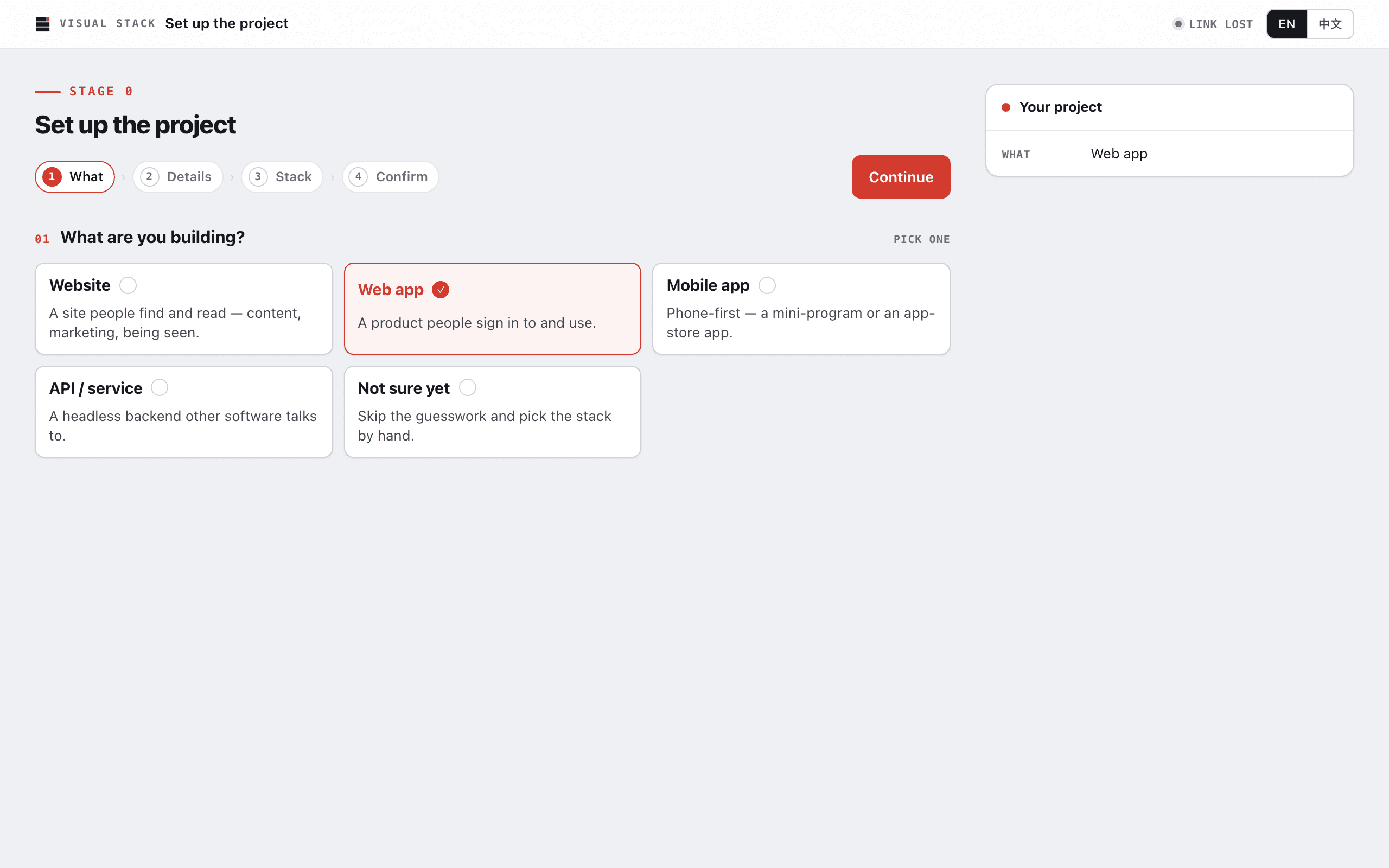
Set up a new project, open a specs-and-design workspace or connect an existing codebase.
Capture the product, stack and repository decisions without writing another setup brief.
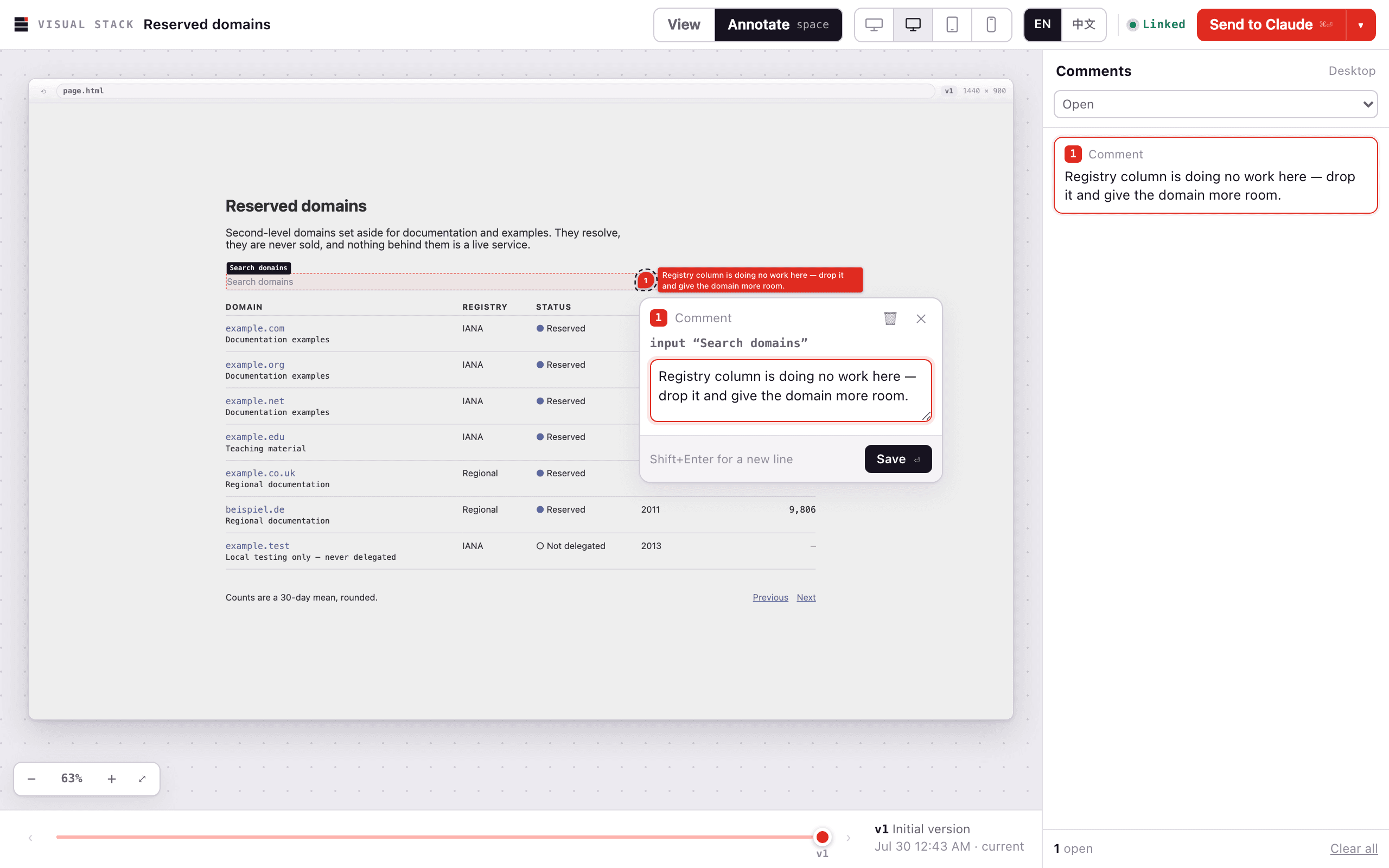
/vstack:wireframeComment on the screen itself
Review the actual screen and pin feedback exactly where it belongs. Claude applies it and publishes the next version in the same workspace.
No screenshots, coordinate descriptions or “the button near the top-right.”
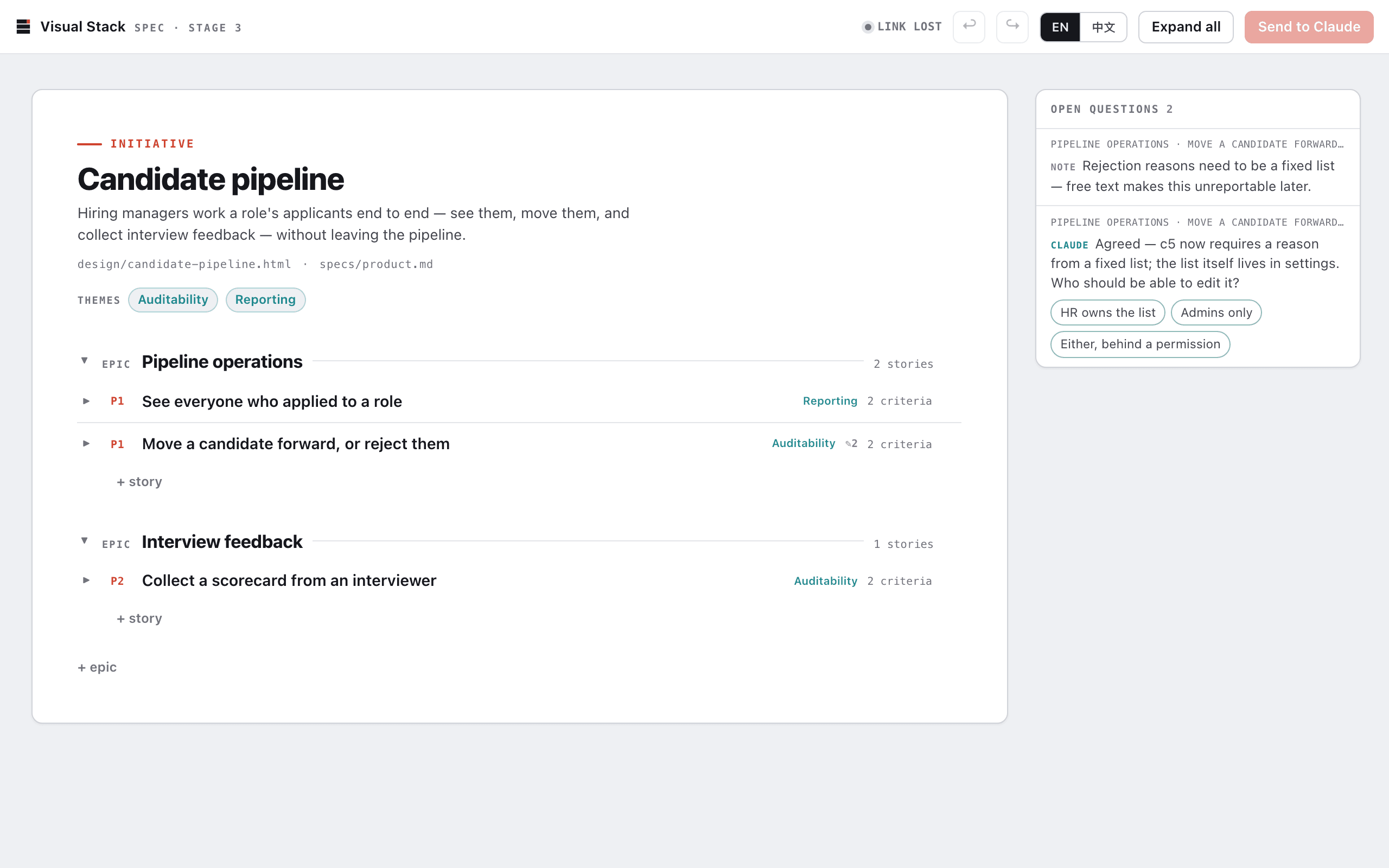
/vstack:specTurn the spec into a map
Explore epics, stories and acceptance criteria as a drill-down tree.
Open what matters, remove what does not and keep the whole product in view.
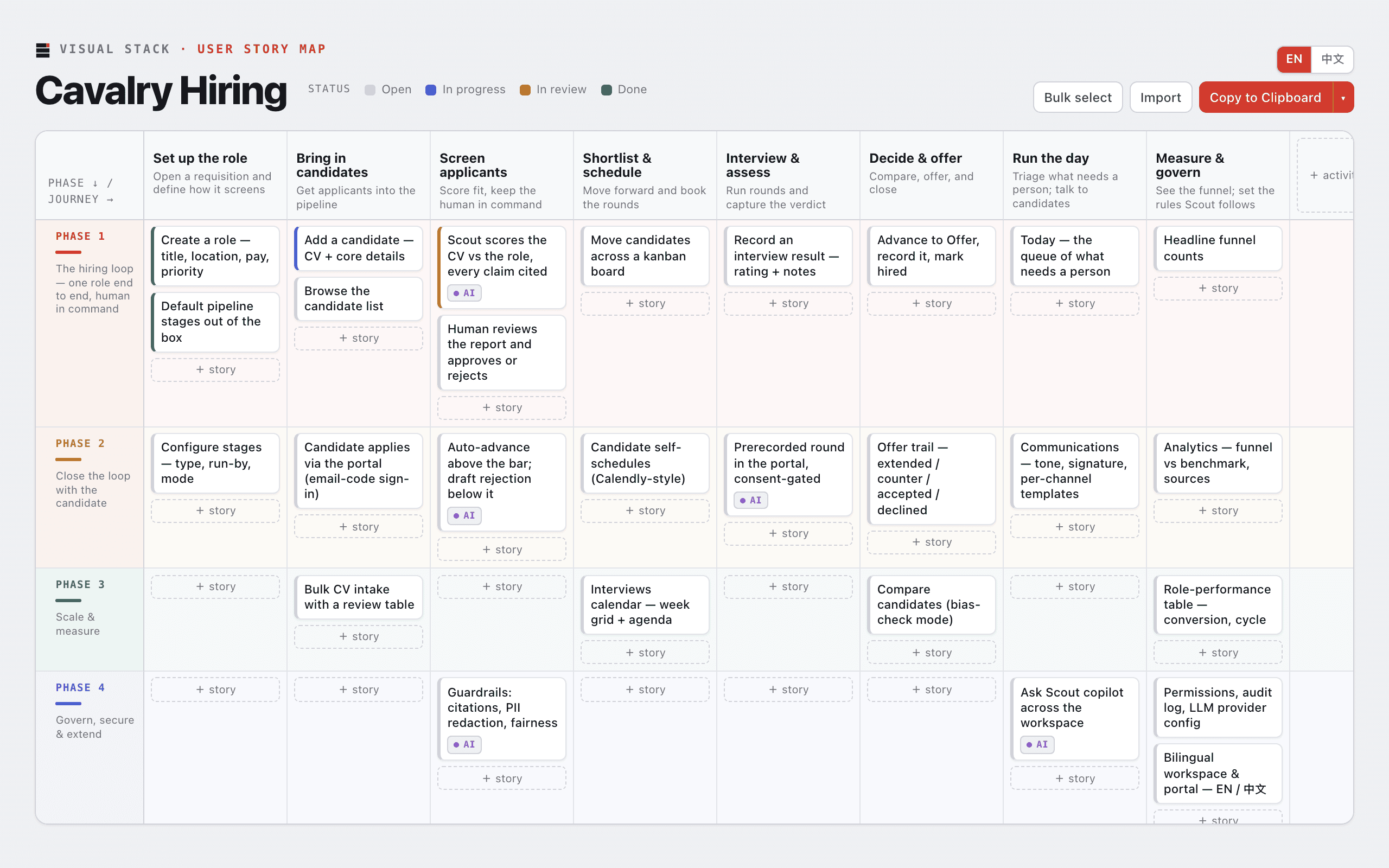
/vstack:user-story-mapMove the release boundary
Arrange the journey, then move stories between activities and release phases.
Claude replans around the decisions you make.
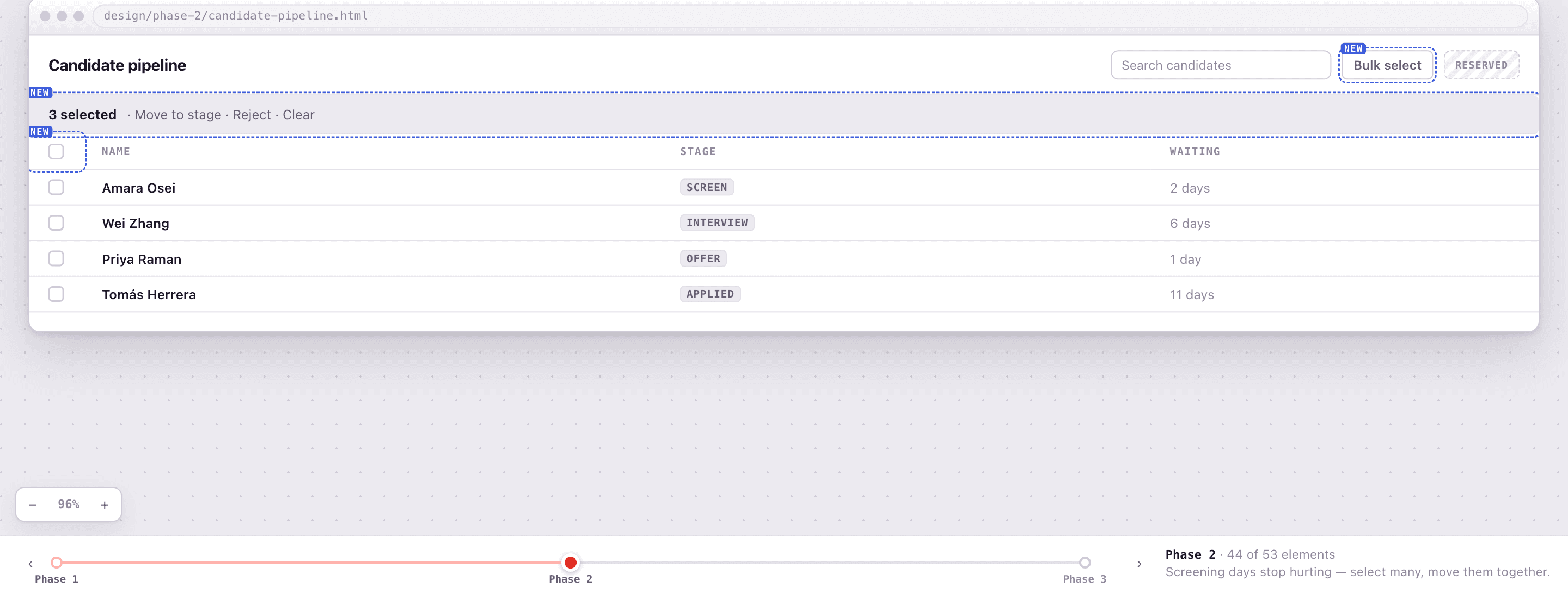
/vstack:phase-wireframeSee each release before you build it
Scrub through the approved screen as it fills in phase by phase.
Highlight what is new and make scope visible before implementation begins.
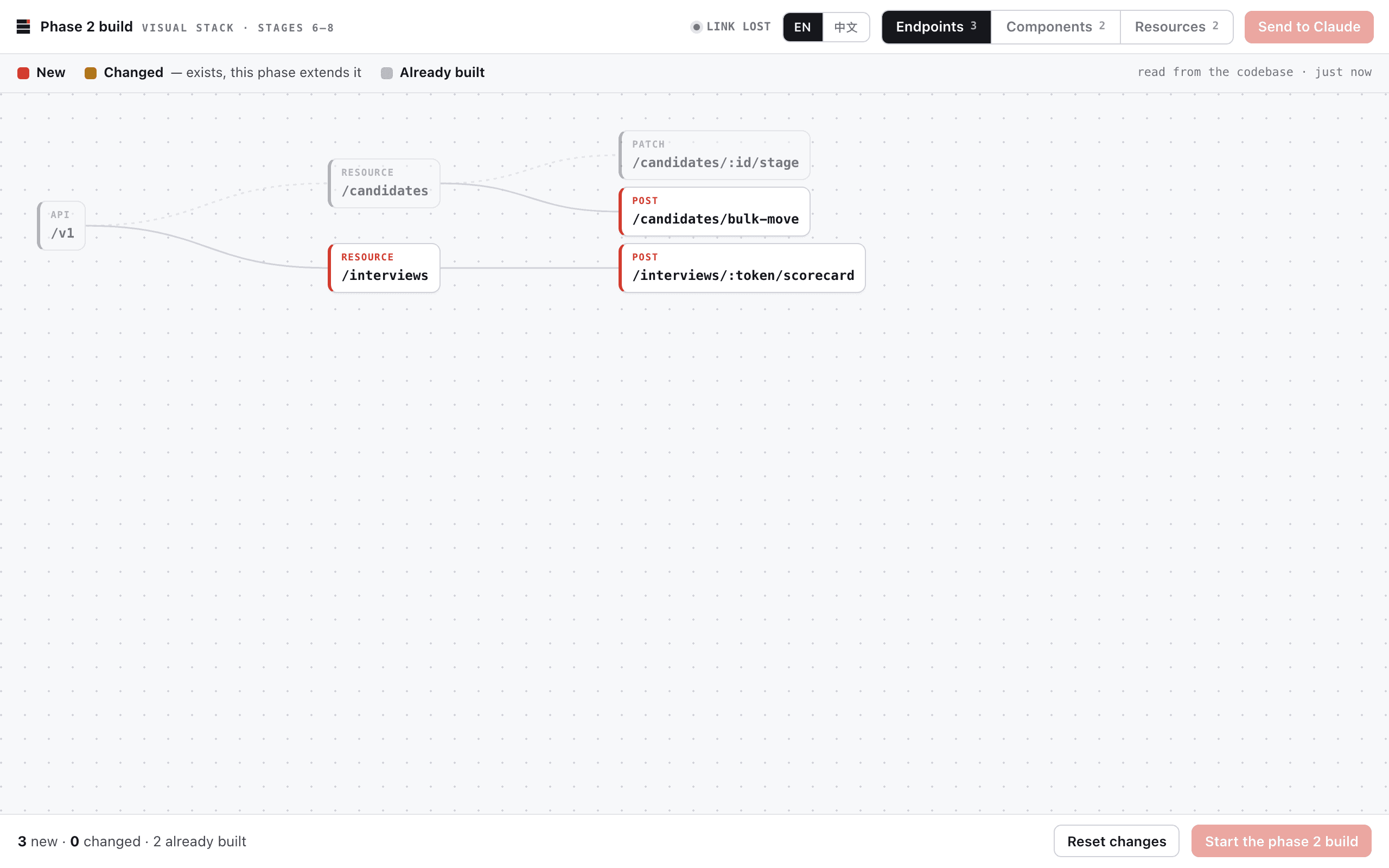
/vstack:phase-buildWatch the system take shape
Approve the plan, then follow each endpoint, component and resource as it lands.
See what is new, changed and already built without another terminal status report.
Keep the context. Lose the spec fatigue.
Structured context helps Claude build the right thing. But when every decision becomes another document, teams spend more time reading about the work than looking at the work.
Wireframes, prototypes, story maps and visible boards still solve problems prose cannot. AI did not make these tools obsolete. It made them more important.
Visual Stack connects both sides: the context Claude needs and the visual tools people use to think, decide and collaborate. The files stay plain and portable; they simply stop being the only interface.
Keep the tools that already work.
Visual Stack reads and writes plain files. It installs no hooks, claims no ownership of your specs and works with ordinary Claude Code or alongside tools such as Spec Kit and Superpowers.